

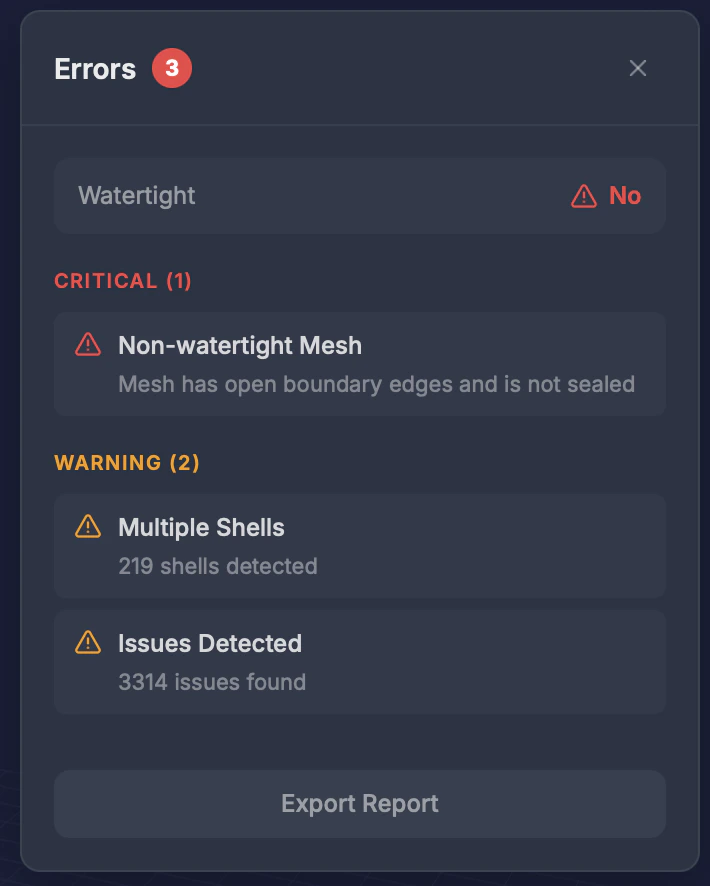
When to use this
- Before repair, to understand what’s wrong with your model
- After repair, to verify all issues were resolved
- When your model looks wrong or has unexpected gaps
What it detects
The panel opens with a Watertight status (Yes/No), then lists any issues grouped by severity. Before repair, issues are derived from your model’s analysis:
After repair, the panel instead lists the issues returned by the repair.
Results
- Total issue count shown as a badge next to the panel title
- Grouped by severity — issues are listed under Critical, Warning, and Info headings, each with a count
- Fixed / Not fixed status — after a repair, each issue shows whether it was resolved
Tips
- Non-manifold edges are the most common issue — they mean surfaces don’t form a proper solid
- Run this before repair to understand the scope of issues
- After repair, the error count should be zero or near-zero
- If errors persist after repair, try a different model type preset