

When to use this
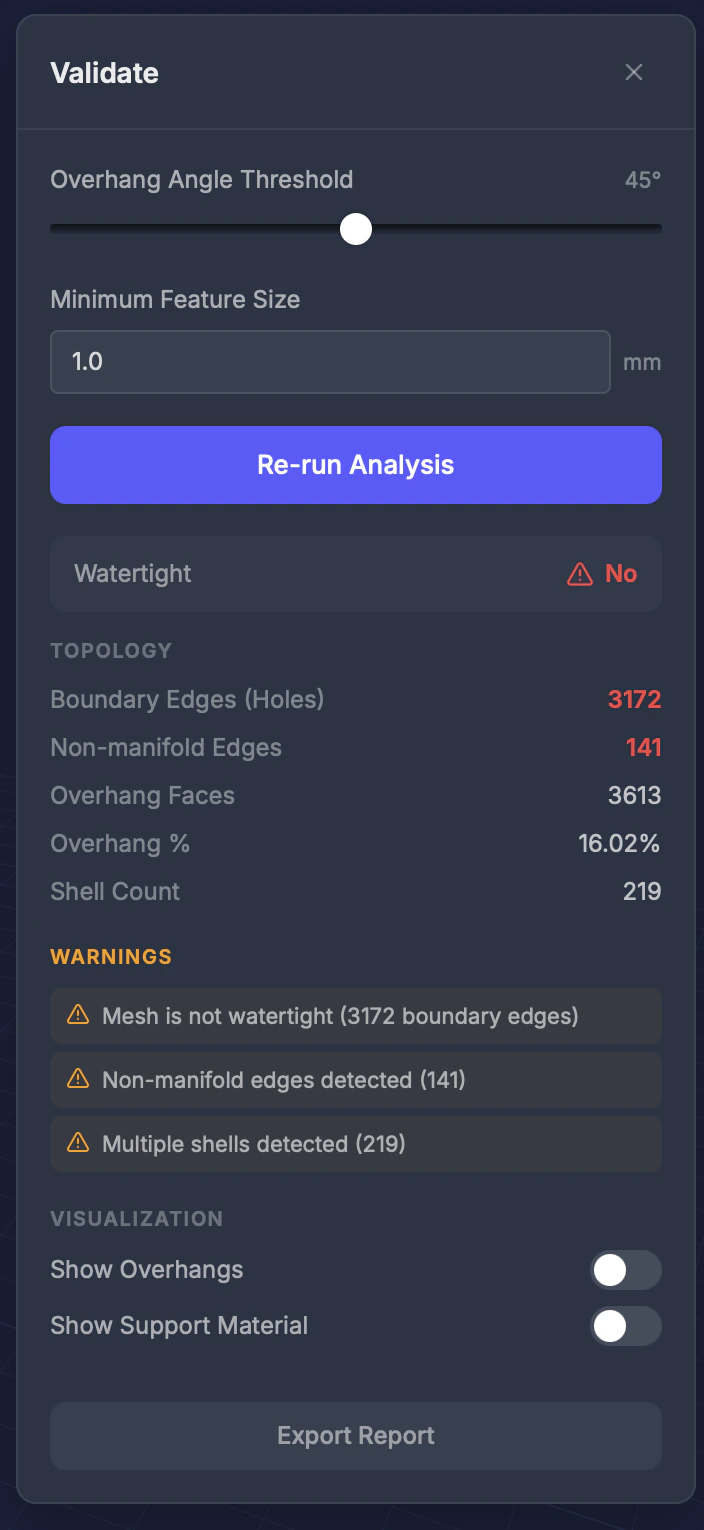
Before sending your model to the printer — run validation to catch potential problems and save time and material.Settings
Minimum feature size
The smallest wall or feature (in millimeters) to flag as too thin. Enter a numeric value in mm (default 1.0).Overhang threshold
The maximum overhang angle (in degrees) before an area is flagged. Default varies by printer type.Results
After running validation, you see:- Watertight status — Whether the mesh is fully closed (Yes or No)
- Overhang areas — Highlighted in red directly on the model
- Topology stats — Boundary Edges (Holes), Non-manifold Edges, Overhang Faces, Overhang %, and Shell Count
- Issue list — Each issue with severity and recommendations
Tips
- Different printers have different needs — SLA can handle thinner walls than FDM
- Overhang highlighting helps you decide where support structures are needed
- Run validation after every repair to confirm the result is print-ready