

When to use this
- Creating a left-hand version from a right-hand part
- Building symmetrical objects from one half
- Duplicating a model in the opposite direction
Settings
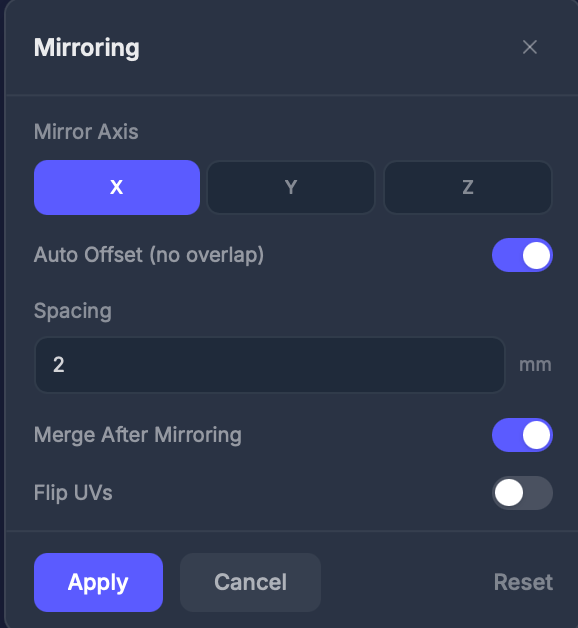
Axis
X, Y, or Z — the axis to mirror along.Spacing (mm)
The gap between the original and the mirrored copy. When Auto Offset is on, this is the spacing used to keep the two halves from overlapping. Default: 2.Merge
Toggle (default: on). Combines the original and mirrored copy into a single printable object.Flip UVs
Toggle (default: off). Also mirrors the texture coordinates. Enable if the mirrored side’s textures look wrong.Step by step
1
Select the Mirror tool
Click Mirror in the Interactive Tools section.
2
Choose the axis
Select X, Y, or Z.
3
Adjust spacing if needed
Set the Spacing to control the gap between the original and the mirrored copy.
4
Apply
Click Apply to create the mirror.
Tips
- Merge creates a single printable object; without merge you get two separate pieces
- Enable Flip UVs if text or asymmetric patterns appear backwards on the mirrored half