

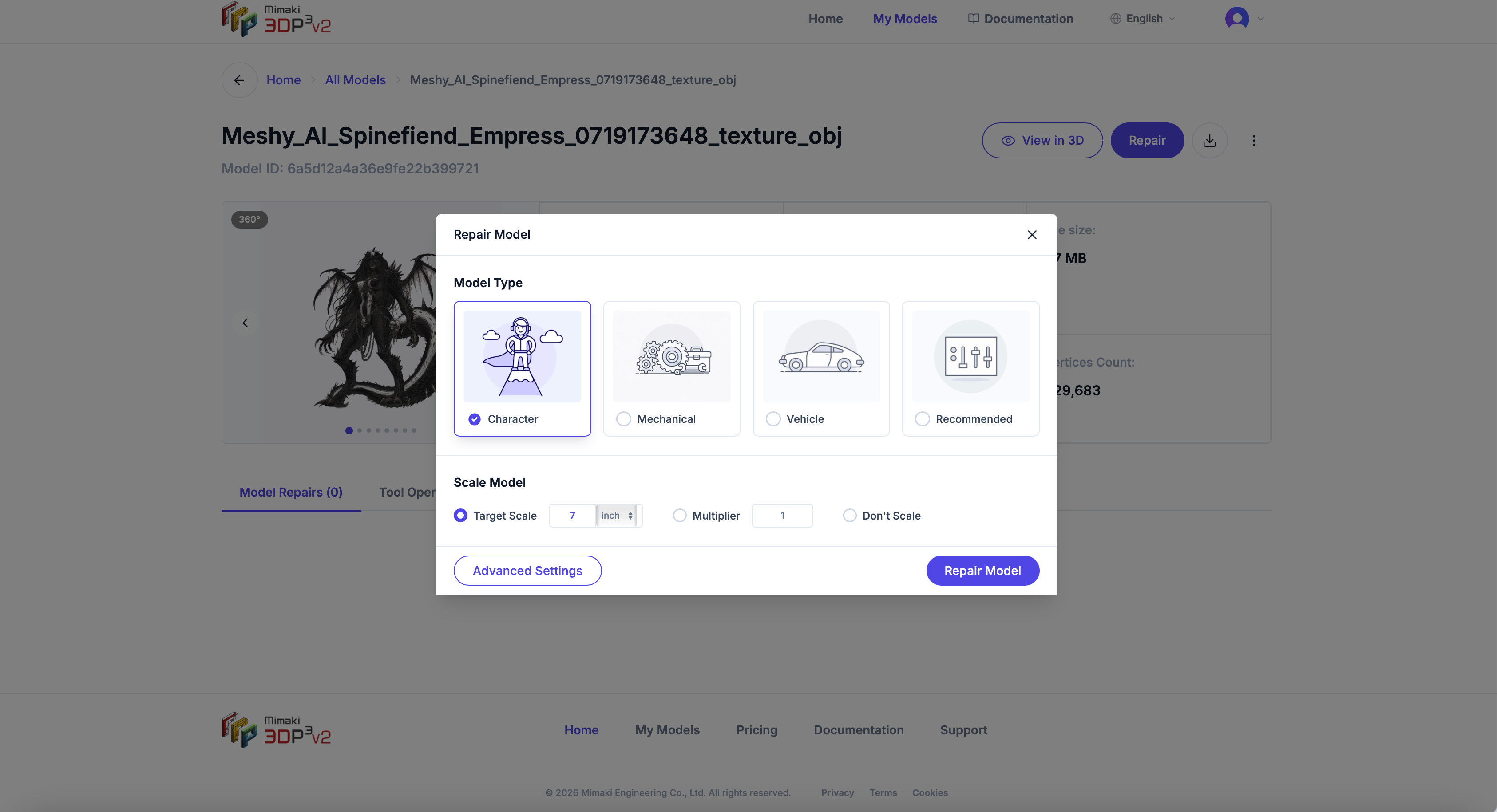
Character
Optimized for figurines, characters, and organic shapes. Preserves fine details like facial features, hair, and clothing folds. Uses a thinner minimum wall thickness (0.7 mm) to hold delicate geometry, a 1.5 mm clearance gap for fusing, transparent-texture cutting, and texture/material mixing. It applies no smoothing — smoothing is a separate opt-in toggle.
Mechanical
Best for engineering parts, brackets, and functional prints. Prioritizes sharp edges and flat surfaces. Keeps precise dimensions for parts that need to fit together.
Vehicle
Tuned for cars, aircraft, and other vehicle models. Balances smooth body curves with structural detail like wheels and panels.
Custom
No preset optimizations — you have full control over every setting. Good starting point if your model doesn’t fit the other categories.
Once your model has been analyzed, a Recommended card replaces the Custom card in the model type list. It’s pre-selected when the repair dialog opens and pre-fills every repair setting — including turning Smoothing on — from the analysis. Under the hood, a recommended repair runs as a custom repair.