

When to use this
When your model needs to be a specific size for printing — for example, a figurine that should be exactly 6 inches tall, or a mechanical part that must be 50 mm wide.Settings
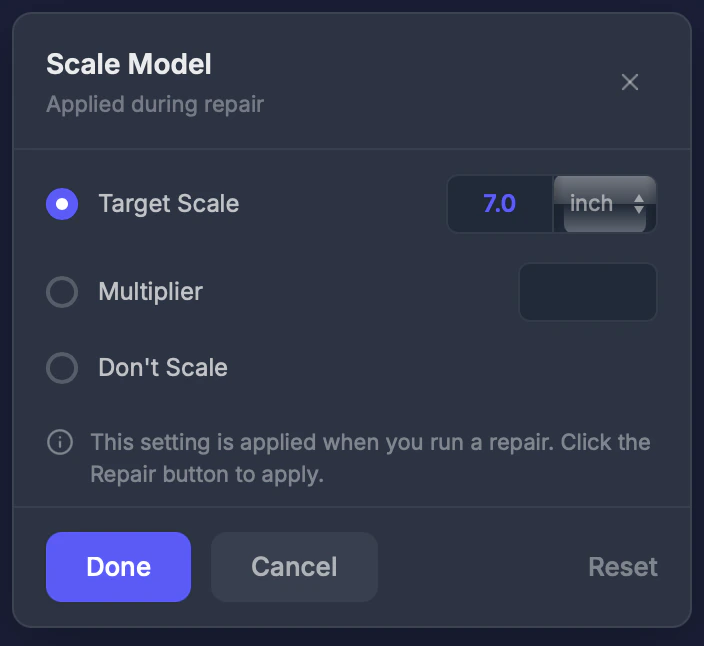
Scale mode
- Target Scale — Set the longest side to a specific size
- Multiplier — Scale by a factor (2x doubles, 0.5x halves)
- Don’t Scale — Keep original dimensions
Target value
The desired size when using Target Scale mode.Unit
Choose between millimeters (mm), centimeters (cm), or inches.Step by step
1
Select the Scale tool
Click Scale in the toolbar.
2
Choose your mode
Select Target Scale, Multiplier, or Don’t Scale.
3
Enter your value
Type the target size or multiplier.
4
Settings apply during next repair
Scale is a pipeline tool — it takes effect when you run a repair.
Tips
- The editor shows a bounding box preview so you can visualize the new dimensions
- Check your printer’s maximum build size before scaling up
- Use the Object Info tool to see current dimensions