

How it works
When you subscribe, your first 30 days are free. You get full access to every feature — unlimited repairs, all tools, every export format.1
Use your 2 free repairs
Try the platform with no commitment. Upload a model and repair it.
2
Start your free trial
When you’re ready, go to the checkout page and enter your payment details. Your trial begins immediately.
3
Enjoy 30 days of full access
Use every feature without limits. Your card is not charged during the trial.
4
Automatic subscription
After 30 days, your subscription begins at your plan’s monthly rate. Cancel anytime before the trial ends to avoid charges.
What happens when the trial ends
- If you keep your subscription: You’re charged the monthly rate and everything continues.
- If you cancel before the trial ends: You’re not charged. Your account reverts to the free tier (2 repair limit, models preserved).
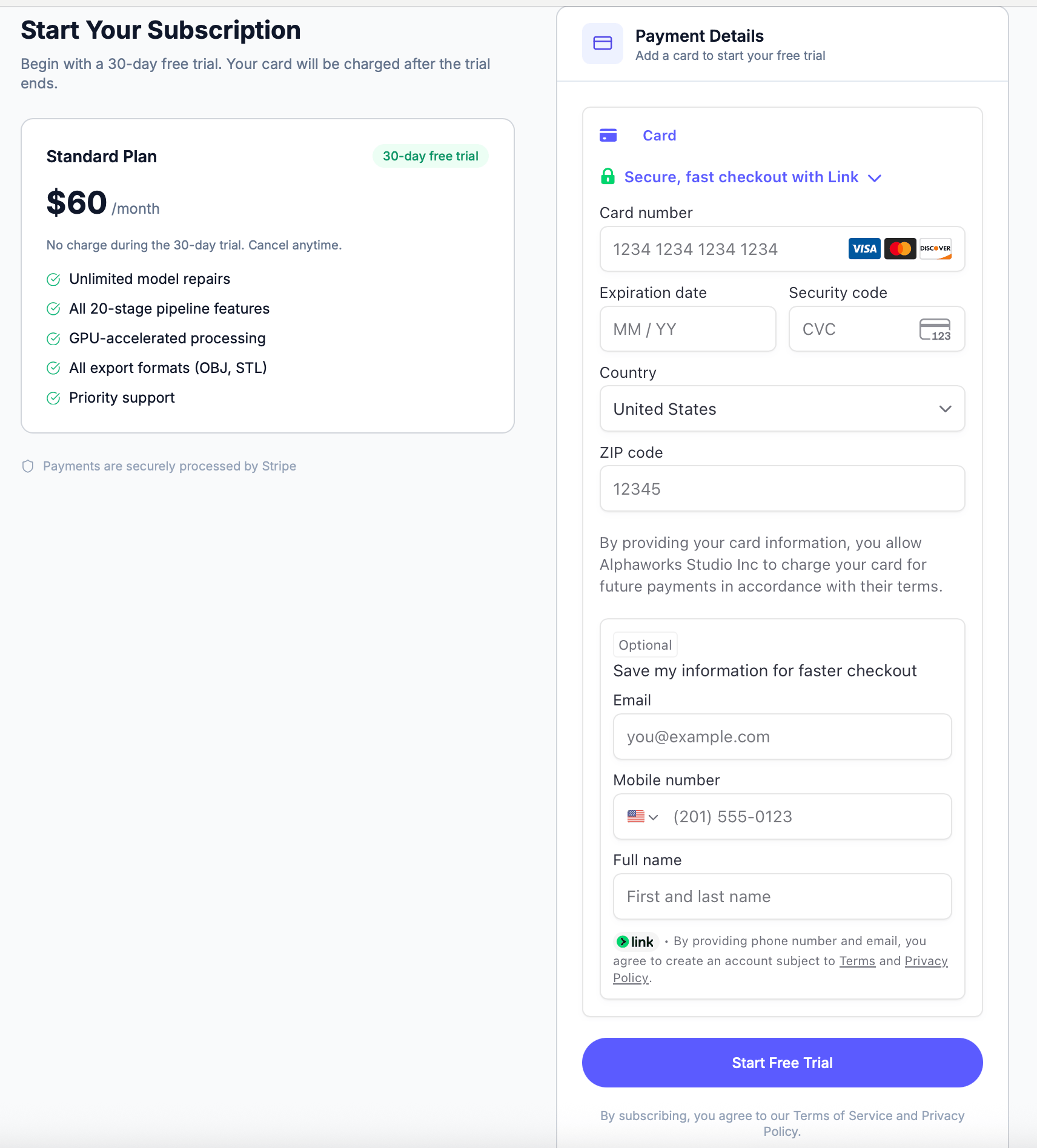
Starting your trial
- Click Start Free Trial from the prompt on the home page, or go to the checkout page
- Enter your payment details (card is verified but not charged)
- Your 30-day trial starts immediately
Your card is only charged after the 30-day trial period. You can cancel at any time from Account Settings.