> ## Documentation Index
> Fetch the complete documentation index at: https://docs.3dpreppro.com/llms.txt
> Use this file to discover all available pages before exploring further.
# 对象信息
> 快速查看尺寸、多边形数和体积
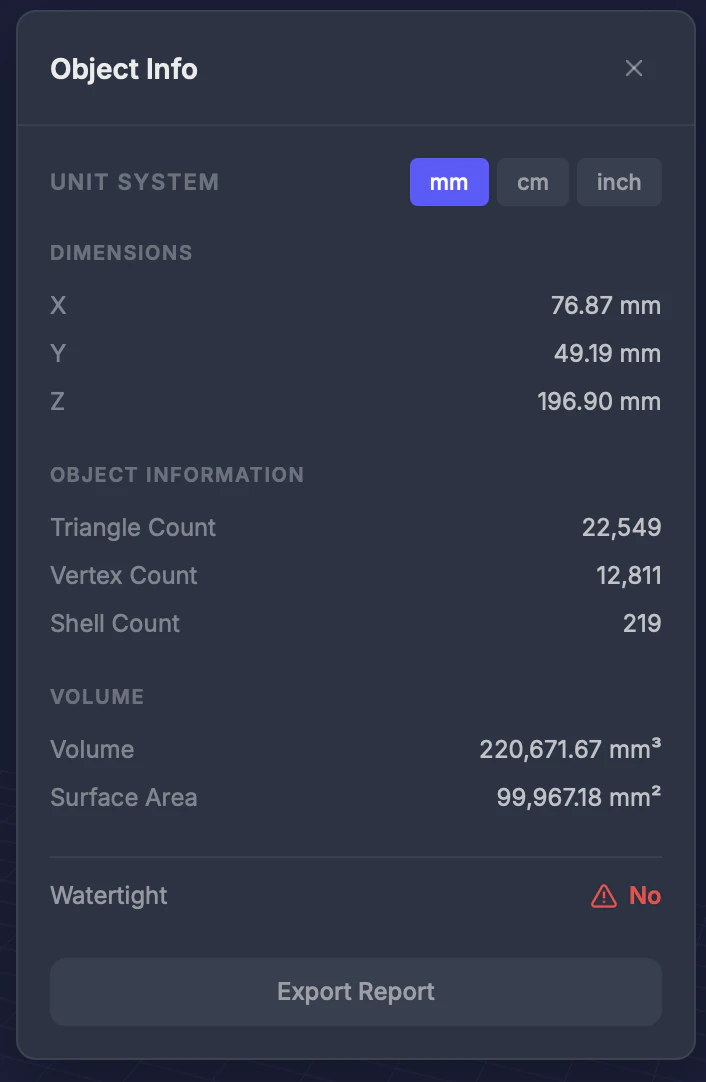 对象信息快速显示模型的关键测量值和统计数据。
## 显示信息
| 指标 | 描述 |
| - | - |
| **尺寸** | 宽度 (X)、高度 (Y) 和深度 (Z),以选定单位显示 |
| **多边形数** | 三角面的总数 |
| **顶点数** | 角点的总数 |
| **体积** | 以 cm³ 计算的体积 |
| **表面积** | 总外表面积 |
| **壳体数** | 独立断开部分的数量 |
## 单位切换
在**毫米 (mm)**、**厘米 (cm)** 和**英寸**之间切换,以您偏好的单位查看尺寸。
## 提示
* **体积**对于估算材料成本很有用——许多打印服务按体积计费
* **壳体数较高**可能表示有浮动零件——使用[移除小零件](/editor/tools/remove-small-parts)清理
* 比较修复前后的多边形数,了解几何体优化了多少
* 对于特定特征之间的距离,使用[测量](/editor/tools/measure)工具
This documentation is built and hosted on [Mintlify](https://mintlify.com), a developer documentation platform.
对象信息快速显示模型的关键测量值和统计数据。
## 显示信息
| 指标 | 描述 |
| - | - |
| **尺寸** | 宽度 (X)、高度 (Y) 和深度 (Z),以选定单位显示 |
| **多边形数** | 三角面的总数 |
| **顶点数** | 角点的总数 |
| **体积** | 以 cm³ 计算的体积 |
| **表面积** | 总外表面积 |
| **壳体数** | 独立断开部分的数量 |
## 单位切换
在**毫米 (mm)**、**厘米 (cm)** 和**英寸**之间切换,以您偏好的单位查看尺寸。
## 提示
* **体积**对于估算材料成本很有用——许多打印服务按体积计费
* **壳体数较高**可能表示有浮动零件——使用[移除小零件](/editor/tools/remove-small-parts)清理
* 比较修复前后的多边形数,了解几何体优化了多少
* 对于特定特征之间的距离,使用[测量](/editor/tools/measure)工具
This documentation is built and hosted on [Mintlify](https://mintlify.com), a developer documentation platform.