> ## Documentation Index
> Fetch the complete documentation index at: https://docs.3dpreppro.com/llms.txt
> Use this file to discover all available pages before exploring further.
# 裁剪透明
> 移除不可见或透明的表面
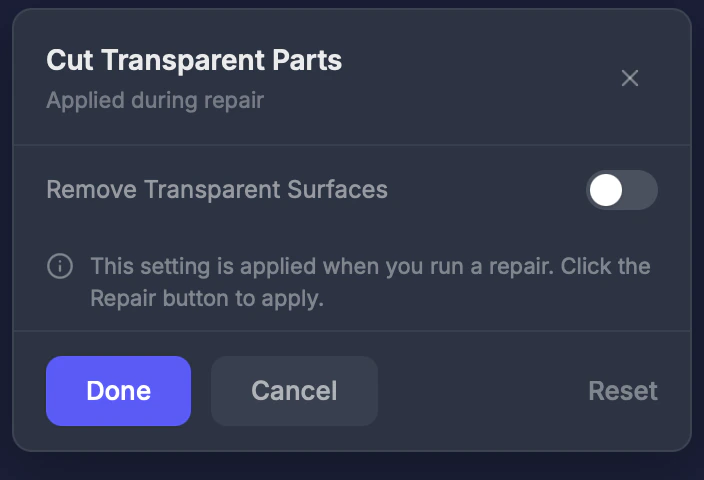 裁剪透明移除具有透明或不可见材质的表面。这在游戏引擎模型中很常见,这些模型有玻璃、隐形头发片或带Alpha透明度的纹理等效果。
## 何时使用此工具
当您的模型有不应成为实体打印一部分的隐形平面或透明表面时。常见于:
* VRChat 或 VRoid 角色模型
* Unity 或 Unreal 游戏模型
* 带玻璃或Alpha透明效果的模型
## 设置
### 启用
开关。**默认值:关闭。**
如果您的模型看起来正确但有意外的平面表面突出,请尝试启用裁剪透明。
This documentation is built and hosted on [Mintlify](https://mintlify.com), a developer documentation platform.
裁剪透明移除具有透明或不可见材质的表面。这在游戏引擎模型中很常见,这些模型有玻璃、隐形头发片或带Alpha透明度的纹理等效果。
## 何时使用此工具
当您的模型有不应成为实体打印一部分的隐形平面或透明表面时。常见于:
* VRChat 或 VRoid 角色模型
* Unity 或 Unreal 游戏模型
* 带玻璃或Alpha透明效果的模型
## 设置
### 启用
开关。**默认值:关闭。**
如果您的模型看起来正确但有意外的平面表面突出,请尝试启用裁剪透明。
This documentation is built and hosted on [Mintlify](https://mintlify.com), a developer documentation platform.