> ## Documentation Index
> Fetch the complete documentation index at: https://docs.3dpreppro.com/llms.txt
> Use this file to discover all available pages before exploring further.
# 颜色和纹理
> 控制纹理和材质的处理方式
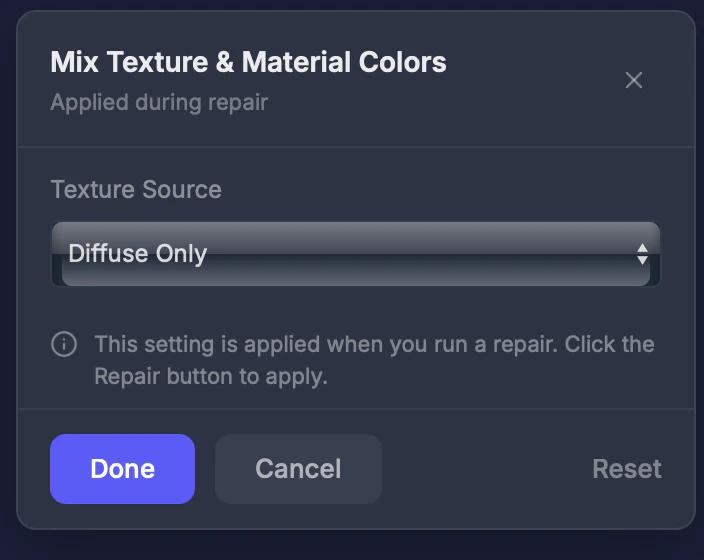 颜色控制您的模型纹理和材质在修复过程中的处理方式。
## 何时使用此工具
当您的模型有多个材质槽或复杂的纹理设置,且您想控制保留哪些纹理信息时。
## 设置
### 纹理来源
* **仅漫反射**(默认) — 仅使用基础颜色纹理。适用于大多数3D打印。
* **所有贴图** — 包括法线贴图、粗糙度和其他纹理通道。用于需要烘焙光照效果的高级全彩打印。
对于全彩打印,**仅漫反射**通常产生最准确的颜色。**所有贴图**可能会从其他纹理通道中烘焙的光照数据添加意外的阴影。
This documentation is built and hosted on [Mintlify](https://mintlify.com), a developer documentation platform.
颜色控制您的模型纹理和材质在修复过程中的处理方式。
## 何时使用此工具
当您的模型有多个材质槽或复杂的纹理设置,且您想控制保留哪些纹理信息时。
## 设置
### 纹理来源
* **仅漫反射**(默认) — 仅使用基础颜色纹理。适用于大多数3D打印。
* **所有贴图** — 包括法线贴图、粗糙度和其他纹理通道。用于需要烘焙光照效果的高级全彩打印。
对于全彩打印,**仅漫反射**通常产生最准确的颜色。**所有贴图**可能会从其他纹理通道中烘焙的光照数据添加意外的阴影。
This documentation is built and hosted on [Mintlify](https://mintlify.com), a developer documentation platform.