> ## Documentation Index
> Fetch the complete documentation index at: https://docs.3dpreppro.com/llms.txt
> Use this file to discover all available pages before exploring further.
# 壁の厚さ
> 信頼性の高い印刷のための最小壁厚を設定
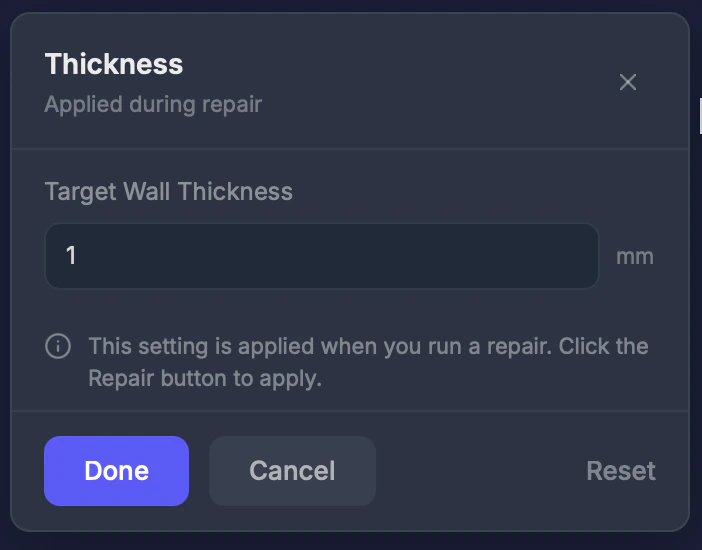 壁の厚さは、モデル内のすべての壁が持つことができる最小の厚さを設定します。修復時に、この値より薄い壁は自動的に厚くなります。
## 使用するタイミング
モデルに繊細な形状、薄いエッジ、または印刷中や後処理中に壊れる可能性のある細かいディテールがある場合。
## 設定
### 厚さ(0〜10 mm)
最小壁厚。**デフォルト:1.0 mm。**
**プリンタータイプ別の推奨値:**
| プリンター | 最小厚さ |
| - | - |
| FDM | 1.0〜1.5 mm |
| SLA / レジン | 0.5〜1.0 mm |
| フルカラー(Mimaki) | 0.7〜1.0 mm |
| SLS | 0.7〜1.0 mm |
## 手順
ツールバーの**壁の厚さ**をクリックします。
プリンターの要件に基づいて値を調整します。
この設定は次の修復時に有効になります。
厚さを**0.5 mm未満**に設定すると、印刷中や後処理中に壁が砕けたり壊れたりする可能性があります。
This documentation is built and hosted on [Mintlify](https://mintlify.com), a developer documentation platform.
壁の厚さは、モデル内のすべての壁が持つことができる最小の厚さを設定します。修復時に、この値より薄い壁は自動的に厚くなります。
## 使用するタイミング
モデルに繊細な形状、薄いエッジ、または印刷中や後処理中に壊れる可能性のある細かいディテールがある場合。
## 設定
### 厚さ(0〜10 mm)
最小壁厚。**デフォルト:1.0 mm。**
**プリンタータイプ別の推奨値:**
| プリンター | 最小厚さ |
| - | - |
| FDM | 1.0〜1.5 mm |
| SLA / レジン | 0.5〜1.0 mm |
| フルカラー(Mimaki) | 0.7〜1.0 mm |
| SLS | 0.7〜1.0 mm |
## 手順
ツールバーの**壁の厚さ**をクリックします。
プリンターの要件に基づいて値を調整します。
この設定は次の修復時に有効になります。
厚さを**0.5 mm未満**に設定すると、印刷中や後処理中に壁が砕けたり壊れたりする可能性があります。
This documentation is built and hosted on [Mintlify](https://mintlify.com), a developer documentation platform.