> ## Documentation Index
> Fetch the complete documentation index at: https://docs.3dpreppro.com/llms.txt
> Use this file to discover all available pages before exploring further.
# 透明部分のカット
> 不可視または透明なサーフェスを除去
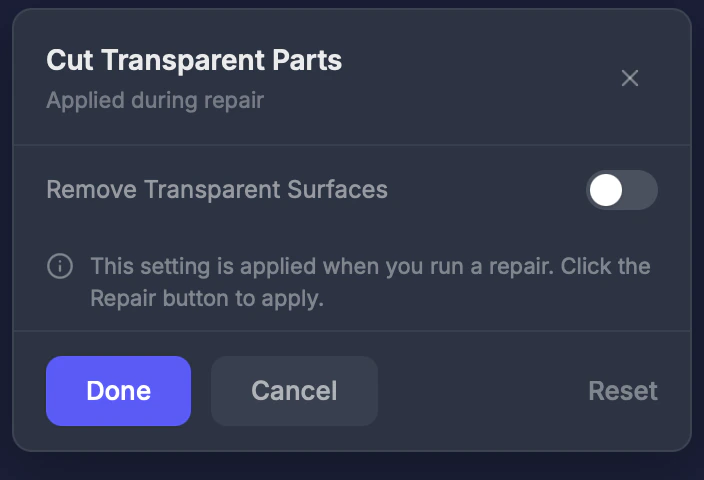 透明部分のカットは、透明または不可視のマテリアルを持つサーフェスを除去します。ガラス、不可視の髪のプレーン、アルファマップテクスチャなどのエフェクトが存在するゲームエンジンのモデルでよく見られます。
## 使用するタイミング
モデルに物理的な印刷に含めるべきではない平面的な不可視サーフェスや透過サーフェスがある場合。以下のモデルでよく見られます:
* VRChatまたはVRoidのキャラクターモデル
* UnityやUnrealのゲーム向けモデル
* ガラスやアルファ透過エフェクトを持つモデル
## 設定
### 有効化
オン/オフの切り替え。**デフォルト:オフ。**
モデルの見た目は正しいのに、予期しない平面が突き出ている場合は、透明部分のカットを有効にしてみてください。
This documentation is built and hosted on [Mintlify](https://mintlify.com), a developer documentation platform.
透明部分のカットは、透明または不可視のマテリアルを持つサーフェスを除去します。ガラス、不可視の髪のプレーン、アルファマップテクスチャなどのエフェクトが存在するゲームエンジンのモデルでよく見られます。
## 使用するタイミング
モデルに物理的な印刷に含めるべきではない平面的な不可視サーフェスや透過サーフェスがある場合。以下のモデルでよく見られます:
* VRChatまたはVRoidのキャラクターモデル
* UnityやUnrealのゲーム向けモデル
* ガラスやアルファ透過エフェクトを持つモデル
## 設定
### 有効化
オン/オフの切り替え。**デフォルト:オフ。**
モデルの見た目は正しいのに、予期しない平面が突き出ている場合は、透明部分のカットを有効にしてみてください。
This documentation is built and hosted on [Mintlify](https://mintlify.com), a developer documentation platform.