> ## Documentation Index
> Fetch the complete documentation index at: https://docs.3dpreppro.com/llms.txt
> Use this file to discover all available pages before exploring further.
# Welcome to 3D Prep Pro
> Your all-in-one tool for preparing 3D models for perfect printing
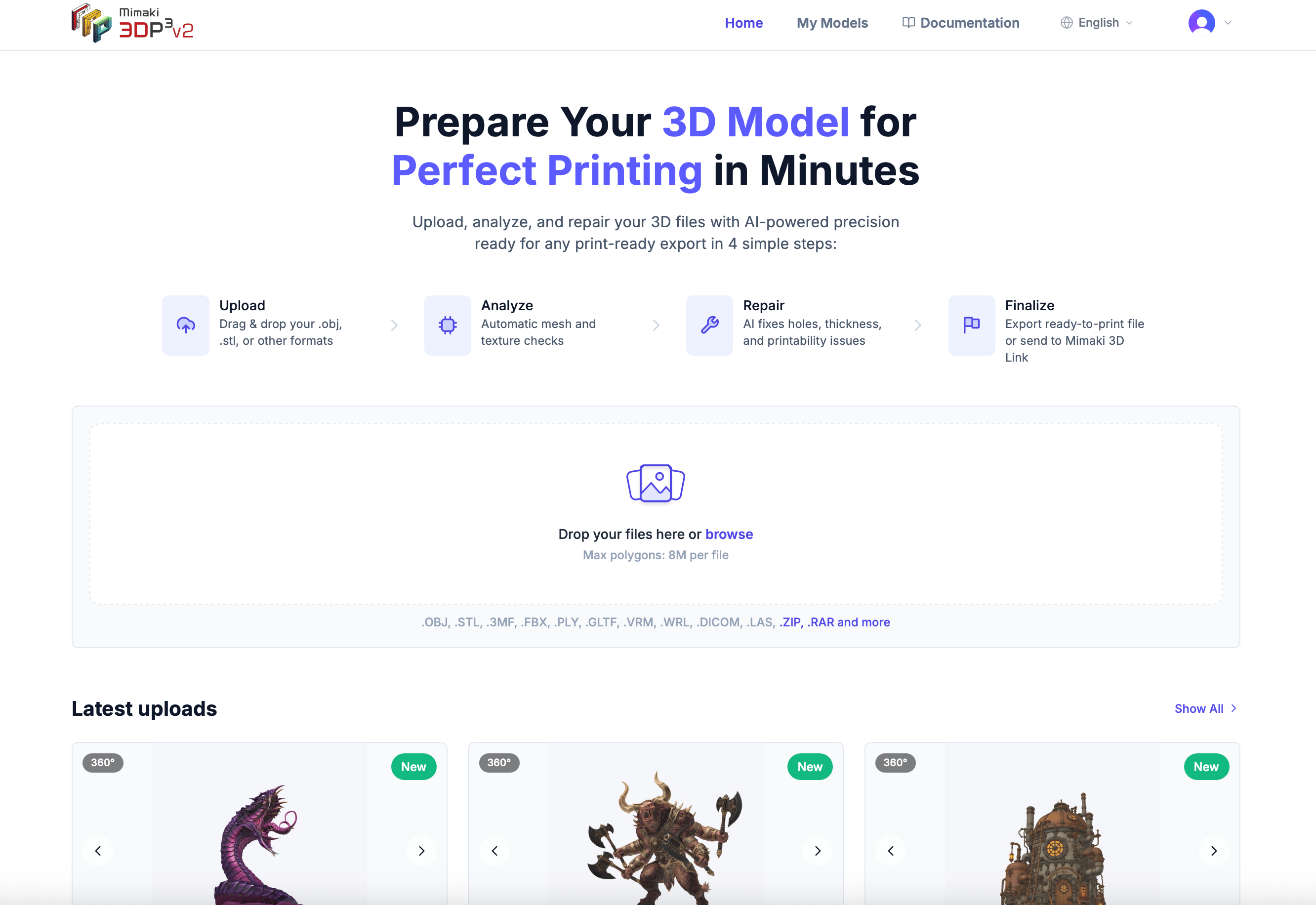
## Get your model print-ready in four simple steps
Drag and drop your 3D file in any popular format — OBJ, STL, 3MF, FBX, and more.
We automatically scan your model for printing issues like thin walls, holes, and non-printable geometry.
Our automated repair process fixes issues and optimizes your model for your printer.
Download your print-ready model in OBJ, STL, GLB, or 3MF format.
 ## Start here
Sign up in under a minute and start preparing your models.
Learn how to get your 3D files into the platform.
Fix common 3D printing issues automatically.
Export your repaired model in print-ready formats.
## Explore the platform
View, inspect, and modify your models with 19 powerful tools — from cutting and lattice infill to measurement and validation.
Start with 2 free repairs, then choose a plan that fits your needs.
## Supported file formats
3D Prep Pro works with all major 3D file formats:
| Format | Extensions | Textures | Colors |
| ----------------- | --------------- | -------- | ------ |
| Wavefront OBJ | `.obj` | Yes | Yes |
| Stereolithography | `.stl` | No | No |
| 3D Manufacturing | `.3mf` | Yes | Yes |
| Autodesk FBX | `.fbx` | Yes | Yes |
| Stanford PLY | `.ply` | No | Yes |
| glTF / GLB | `.gltf`, `.glb` | Yes | Yes |
| VRM (VRoid) | `.vrm` | Yes | Yes |
| VRML | `.wrl` | Yes | Yes |
| DICOM (Medical) | `.dcm` | No | Yes |
| LAS/LAZ (LiDAR) | `.las`, `.laz` | No | Yes |
You can also upload **ZIP**, **RAR**, and **TAR** (`.tar`, `.tar.gz`, `.tgz`) archives — we automatically extract and process the 3D files inside.
New here? Start with [Upload your first model](/getting-started/upload-first-model), then let the automated repair fix common printing issues for you.
## Start here
Sign up in under a minute and start preparing your models.
Learn how to get your 3D files into the platform.
Fix common 3D printing issues automatically.
Export your repaired model in print-ready formats.
## Explore the platform
View, inspect, and modify your models with 19 powerful tools — from cutting and lattice infill to measurement and validation.
Start with 2 free repairs, then choose a plan that fits your needs.
## Supported file formats
3D Prep Pro works with all major 3D file formats:
| Format | Extensions | Textures | Colors |
| ----------------- | --------------- | -------- | ------ |
| Wavefront OBJ | `.obj` | Yes | Yes |
| Stereolithography | `.stl` | No | No |
| 3D Manufacturing | `.3mf` | Yes | Yes |
| Autodesk FBX | `.fbx` | Yes | Yes |
| Stanford PLY | `.ply` | No | Yes |
| glTF / GLB | `.gltf`, `.glb` | Yes | Yes |
| VRM (VRoid) | `.vrm` | Yes | Yes |
| VRML | `.wrl` | Yes | Yes |
| DICOM (Medical) | `.dcm` | No | Yes |
| LAS/LAZ (LiDAR) | `.las`, `.laz` | No | Yes |
You can also upload **ZIP**, **RAR**, and **TAR** (`.tar`, `.tar.gz`, `.tgz`) archives — we automatically extract and process the 3D files inside.
New here? Start with [Upload your first model](/getting-started/upload-first-model), then let the automated repair fix common printing issues for you.