> ## Documentation Index
> Fetch the complete documentation index at: https://docs.3dpreppro.com/llms.txt
> Use this file to discover all available pages before exploring further.
# Target Faces
> Control the polygon count of your repaired model
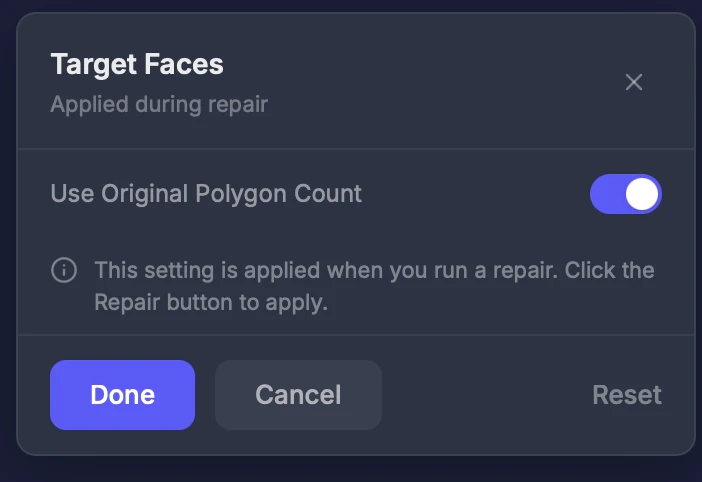 Target Faces lets you set a custom polygon count for the repaired output. Reducing polygons makes smaller files that slice faster, while keeping the analyzer's recommended count preserves maximum detail.
## When to use this
* When your model has millions of polygons and you want a lighter file
* When your slicer struggles with high-polygon models
* When you want a specific polygon count for your workflow
## Settings
### Smart Polygon Count
Toggle. **Default: On** — keeps the analyzer's recommended polygon count.
### Target count
When toggled off, enter a custom number (3–5,000,000).
## Tips
* **100,000–500,000** faces is plenty of detail for most prints
* Reducing below **50,000** may lose visible fine features like facial details
* Higher polygon counts produce smoother surfaces but larger files
* Check the current count with the [Object Info](/editor/tools/object-info) tool
Target Faces lets you set a custom polygon count for the repaired output. Reducing polygons makes smaller files that slice faster, while keeping the analyzer's recommended count preserves maximum detail.
## When to use this
* When your model has millions of polygons and you want a lighter file
* When your slicer struggles with high-polygon models
* When you want a specific polygon count for your workflow
## Settings
### Smart Polygon Count
Toggle. **Default: On** — keeps the analyzer's recommended polygon count.
### Target count
When toggled off, enter a custom number (3–5,000,000).
## Tips
* **100,000–500,000** faces is plenty of detail for most prints
* Reducing below **50,000** may lose visible fine features like facial details
* Higher polygon counts produce smoother surfaces but larger files
* Check the current count with the [Object Info](/editor/tools/object-info) tool